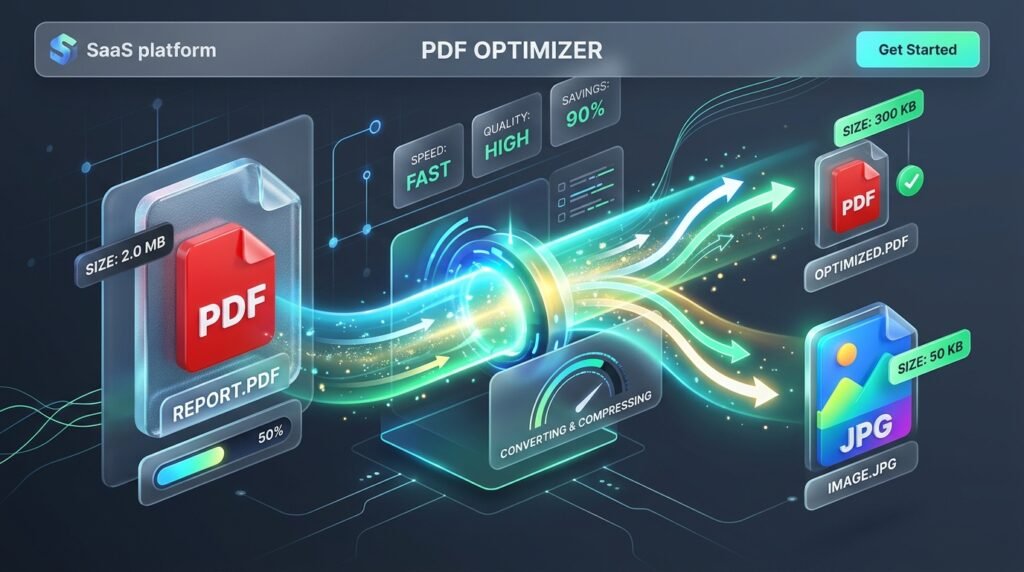
If you have ever tried submitting an online job application, government examination form (SSC, UPSC, State PSC, IBPS), university admission portal, or official portal, you have almost certainly hit this frustrating roadblock: “File size exceeds the allowable limit. Please upload a PDF under 300KB or JPG under 50KB.”
Most scanned identity cards, college certificates, marksheets, and resumes are 1MB to 5MB in size. Compressing them usually results in blurry, unreadable text or rejected uploads. In this comprehensive guide, you will learn how to compress PDF to 300KB, compress PDF to 50KB, and convert PDF to JPG under 50KB without losing sharpness or compromising your privacy.
Why Do Online Portals Require 300KB, 500KB, or 50KB Files?
Official portals handle millions of candidate submissions simultaneously. To prevent database bottlenecks and ensure fast page loads for applicants across slow mobile networks, portals strictly enforce file size limits:
- 300KB PDF Limit: Typically required for educational marksheets, degree certificates, caste certificates, and experience letters (e.g., SSC CGL, UPSC Civil Services, IBPS, and State PSCs).
- 500KB PDF Limit: Common for multi-page resumes, CVs, passport copies, and property/legal agreements.
- 50KB JPG / PDF Limit: Standard requirement for passport-size photographs, candidate signatures, and thumb impressions.
🚀 Instant One-Click Tools (Free & 100% Private):
Step-by-Step: How to Compress PDF to 300KB Online Free
Our dedicated PDF compressor to 300KB uses adaptive smart rendering. Instead of degrading text clarity, it optimizes embedded streams, removes metadata bloat, and scales page graphics precisely to match your 300KB target.
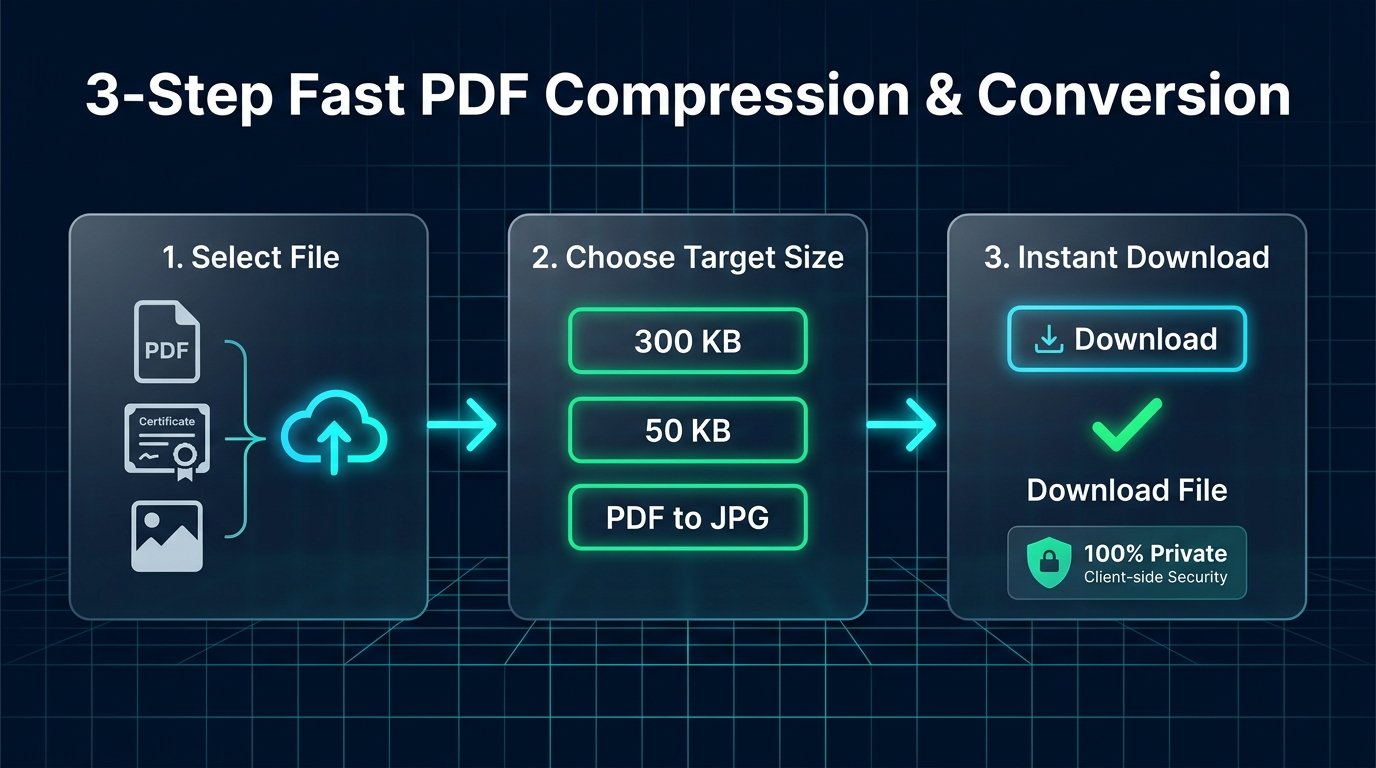
Step 1: Upload Your Heavy PDF
Navigate to the Compress PDF to 300KB tool. Drag and drop your PDF file or click “Select File”. You can upload scanned certificates, multi-page resumes, or single-page scorecards up to 50MB.
Step 2: Verify the 300KB Target Preset
The 300 KB preset is automatically selected. If you have custom requirements, you can also switch between presets (50KB, 100KB, 150KB, 200KB, 300KB, 500KB, 1MB) or enter your exact custom target size in kilobytes.
Step 3: Click “Process File” and Download
Click “Process File”. The entire compression process executes right inside your browser using client-side WebAssembly technology. Your sensitive personal documents are never uploaded to external servers, guaranteeing 100% privacy and instant turnaround. Within 2 to 3 seconds, your newly compressed file under 300KB is ready for download!
How to Compress PDF to 50KB Without Blurry Text
Reaching an ultra-low threshold like 50KB is notoriously difficult for traditional PDF tools. Often, documents become pixelated or unreadable. Here is how our PDF compressor to 50kb solves this problem:
- Smart Quality Floor: The compression engine uses dynamic quality budgeting. It prioritizes high text contrast so that numbers, dates of birth, hall ticket codes, and signatures remain crisp.
- Adaptive Resolution Scaling: For single-page certificates or ID cards, the canvas resolution automatically balances pixel density against file size so the output stays strictly ≤ 50KB while remaining fully legible.
- Zero Server Latency: All processing is done locally on your phone or computer.
👉 Quick Link: Compress your document using the 50KB PDF Compressor tool →
How to Convert PDF to JPG (Under 50KB)
Many government portals require you to upload your scanned photograph or certificate in JPG format under 50KB rather than PDF. If your scanner or phone camera saved your document as a PDF, here is how to easily convert it:
- Open the PDF to JPG Converter on PDF Compressor.
- Select your PDF document. Each page will be extracted into a high-definition image.
- Use our built-in image compression slider or quality adjustment to ensure the resulting JPG file size is strictly under 50 KB.
- Click Download Image. The extracted JPG maintains 100% color accuracy, suitable for immediate upload.
How to Convert Photo/JPG into a 50KB PDF (“Photo Convert Into 50 KB PDF”)
A very common search query is “photo convert into 50 kb pdf”. This occurs when an applicant captures a photo of their ID card, mark sheet, or handwritten declaration on a smartphone camera (which results in a 3MB – 8MB JPEG) but the portal demands a PDF under 50KB.
Here is the exact method:
- Go to the Image to PDF Converter.
- Upload your smartphone photo (JPG, PNG, or WEBP).
- Set the compression target to 50 KB. The tool downsamples unnecessary camera megapixel bloat while preserving sharp document contrast.
- Click Convert to PDF and download your clean, lightweight ≤ 50KB PDF file.
Portal Upload Guidelines & Quick Comparison Table
To help you prepare your documents correctly before submitting any online application, refer to the table and chart below:
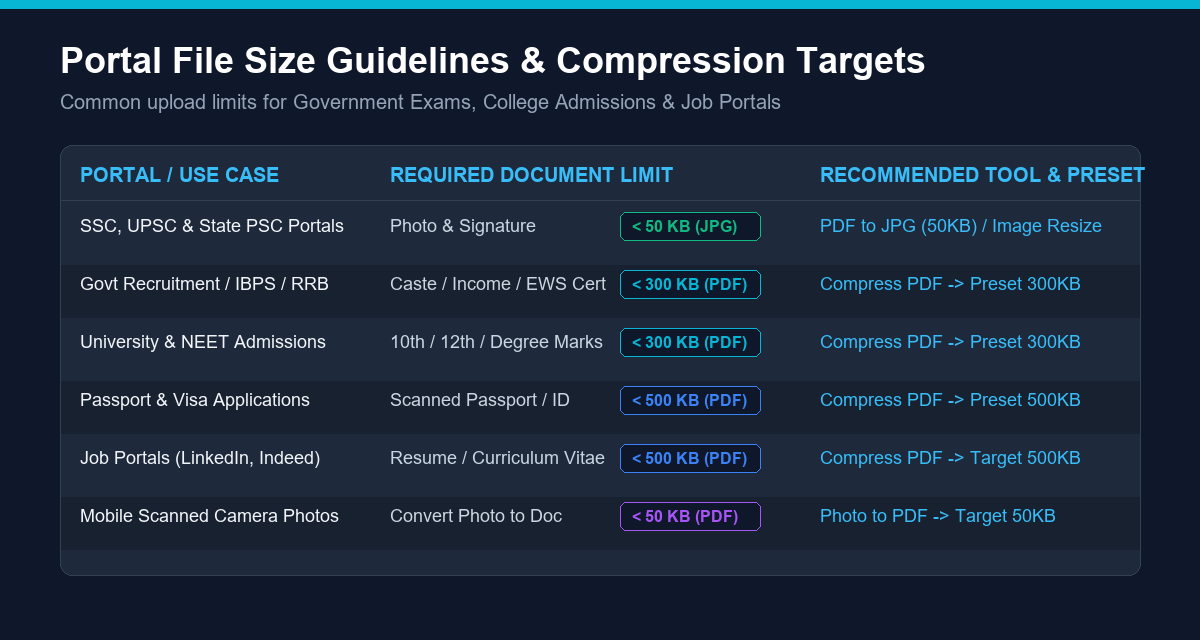
| Application / Portal | Document Type | File Size Limit | Recommended Tool |
|---|---|---|---|
| SSC / UPSC / State PSC | Photo & Signature | ≤ 50 KB (JPG) | PDF to JPG 50KB |
| IBPS / Banking / RRB | Caste / EWS / PwD Certificate | ≤ 300 KB (PDF) | Compress PDF to 300KB |
| College & University Admissions | 10th / 12th / Degree Marksheets | ≤ 300 KB (PDF) | Compress PDF to 300KB |
| Job Portals (Naukri, LinkedIn) | Resume / Curriculum Vitae | ≤ 500 KB (PDF) | Compress PDF to 500KB |
| Mobile Phone Scans | Camera Snapshot to Doc | ≤ 50 KB (PDF) | Photo to 50KB PDF |
Why Choose PDFCompressor.website?
- 🔒 100% Private (Zero Server Upload): Your documents are processed entirely in your web browser. Neither your certificates nor your photos ever reach a third-party server.
- ⚡ Blazing Fast: No queue times or waiting for remote cloud servers. Compression completes in under 2 seconds.
- 🎯 Exact Target Presets: Direct one-click presets for 50KB, 100KB, 200KB, 300KB, 500KB, and 1MB.
- 🆓 Completely Free & Unlimited: No credit card, no registration, no daily caps, and no hidden watermarks.
Frequently Asked Questions (FAQ)
1. How can I compress a 2MB PDF to 300KB without losing quality?
Use our Compress PDF to 300KB tool. Upload your 2MB file, select the 300KB target preset, and click “Process File”. The tool uses adaptive scale rendering to retain crystal-clear text while reducing file size by up to 90%.
2. Can I compress a PDF to 50KB on my mobile phone?
Yes. Because PDFCompressor.website runs client-side in any modern mobile browser (Chrome, Safari, Firefox), you can compress documents to 50KB directly on Android or iPhone without installing any heavy apps.
3. How do I convert a photo into a 50KB PDF for online form submission?
Go to the Image to PDF converter, upload your camera photo, select the 50KB preset or custom target, and click convert. The resulting PDF will stay under 50KB while remaining perfectly readable for verification officers.
4. Is it safe to compress confidential certificates and ID cards here?
Yes, 100% safe. All compression and conversion algorithms execute locally in your browser memory. No data is stored, logged, or transferred across the internet.
5. What should I do if the portal rejects my PDF for being over 500KB?
Use our Compress PDF to 500KB tool to quickly bring multi-page resumes, portfolios, or scanned documents within acceptable portal limits.